Budget Provider Simple Dept Config Basic
The 36 Budget Provider Simple Dept Config Basic (Provider Dept Config) driver is an alternate driver that provides a single-line spreadsheet style input for the same data that loads in the 34 Budget Provider Simple Dept Config driver. We recommend that you use this driver as the standard input method.
NOTE: This driver includes only provider and department combinations that have activity recorded in the current year actual Provider table.
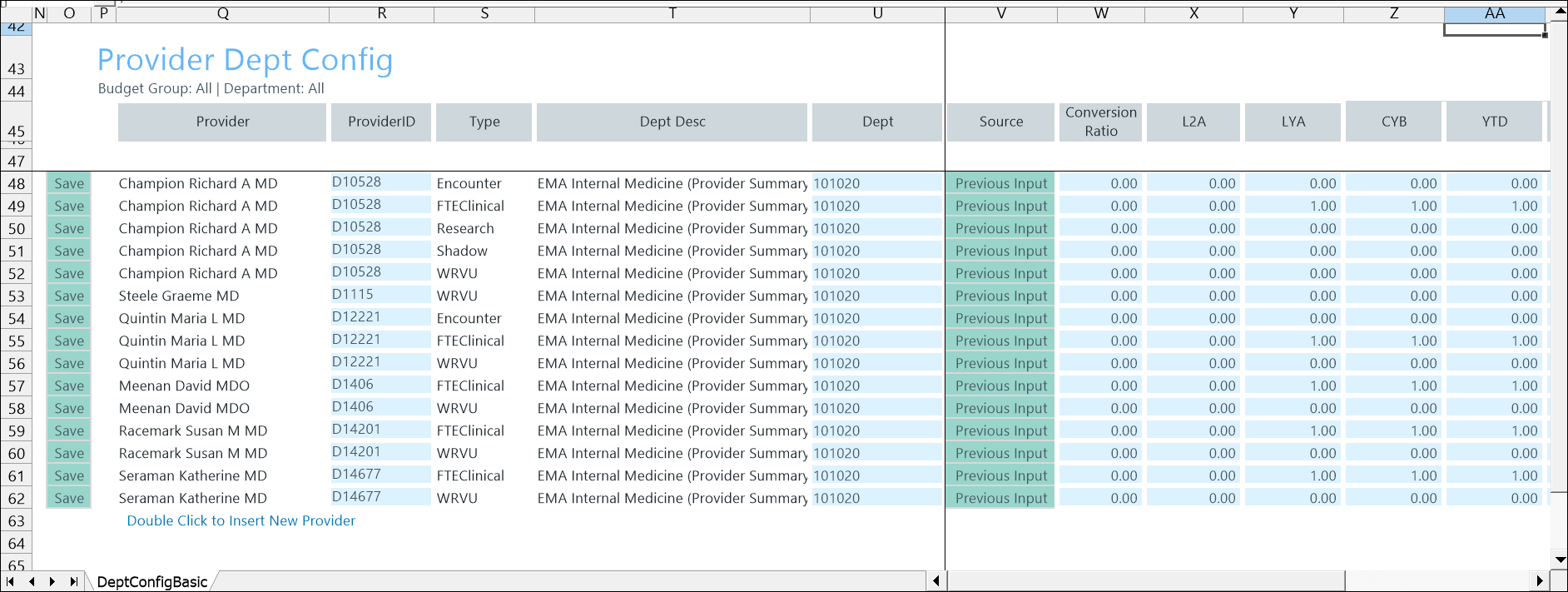
Configure driver settings
- Go to Admin > Admin Task Panes > Budget Admin > Budget Assumptions and double click the desired driver set:
- Access NY Budget Assumptions (next year's budget drivers)
- Access CY Budget Assumptions (current year's budget drivers)
Choose the refresh variables.
NOTE: Refresh variable selection depends on the driver's requirements. Some variables may not display, and not all drivers include refresh variable options.
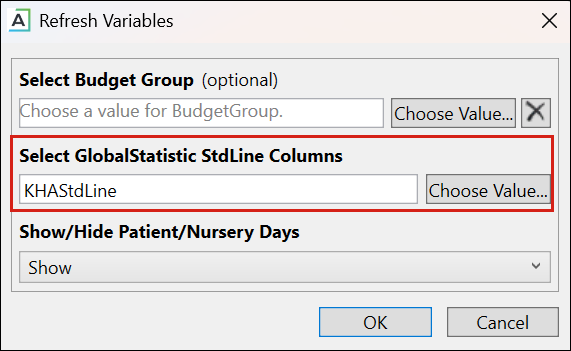
TIP: When refresh variables require a standard line, you must select at least one. If none are selected, the OK button is disabled.
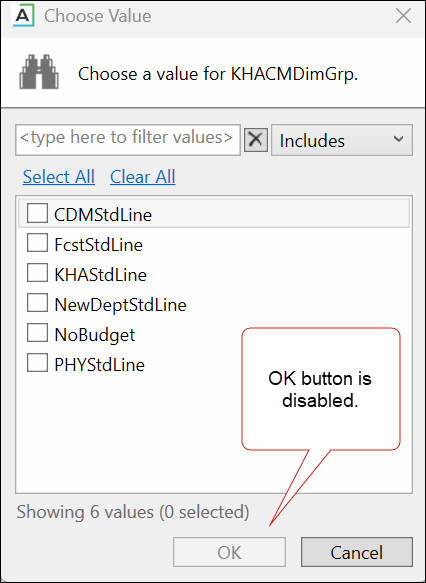
KHAStdLine is the default for the following drivers: 7-10 Budget Global Data, 05 Global Depreciation, 11 Global Expense Budget, and 12 Budget Revenue Global Revenue.
Department selection appears for the following drivers: 03 Budget Statistics, 05 Budget Depreciation, 11 Global Expense Budget, 12 Global Revenue Budget, 14 Budget Labor Rates, 20 Budget Global Sum, 23 Budget Global Labor Premium Dollars, 24 Budget Labor Benchmark, 28 Budget Labor Target, 36 Budget Provider Simple Dept Config, 42 Bugdet Stat Account.
-
To save any changes, right click the driver tab and select Save > Save Data Only.
Refresh Variables Data Types
This table describes the data type options in the Refresh Variables > Select Data Type menu.
| Option | Description |
|---|---|
| Encounter | Represents a patient visit used to measure a provider's workload. |
| FTEClinical |
The provider's clinical workload measured as an FTE Full-time equivalent. A unit of measure that represents a full-time workload regardless of how many people are needed to cover it.. Enter the value of the FTE to use in the Provider and ProviderComp tabs in the plan file. The FTE you specify here overrides actual payroll FTEs. This allows admins to lock the FTE value when setting volume targets. This function also overcomes data issues with payroll hours. NOTE: The value you enter here will be the FTE value used in the ProviderComp and Provider tabs. |
| Research |
Represents time the provider spends on research activities rather than patient care. Enter the Research WRVU value for this department provider. This gives the admin total control over the value of the current year projection and next year budget as well as the spread of the Research WRVU for each month of the budget. |
| Shadow |
Represents the time spent in training or observation that does not generate clinical activity. Enter the Shadow WRVU value for this department provider. This gives the admin total control over the value of the current year projection and next year budget as well as the spread of the Shadow WRVU for each month of the budget. |
| WRVU |
Represents provider productivity measured using work relative value units (wRVUs) Enter the WRVU value for this department provider. This gives the admin total control over the value of the current year projection and next year budget as well as the spread of the WRVUs for each month of the budget. |
Budget Provider Simple Dept Config Basic driver configuration includes the following tasks:
